✨ Type emojis faster on Chromebook with hidden shortcuts that make chatting, posting, and content creation way easier in seconds!
If you’ve ever been chatting on your Chromebook and felt stuck searching for emojis one by one, you’re not alone. Many users don’t realise that Chromebook has a built-in emoji keyboard shortcut that instantly opens a full emoji panel.
In 2026, as emoji communication becomes even more expressive on platforms like Instagram, Ticktock, and Whats App Web, knowing this shortcut is almost like having a secret superpower.
Instead of scrolling endlessly, you can type emotions, reactions, and vibes in seconds if you’re replying to friends, creating captions, or writing comments, this shortcut saves time and keeps your messages fun and expressive.
It’s especially useful for students, creators, and remote workers who rely on fast communication. Once you learn it, you’ll wonder how you ever used a Chromebook without it.
What does Emoji Keyboard Shortcut Chromebook mean?
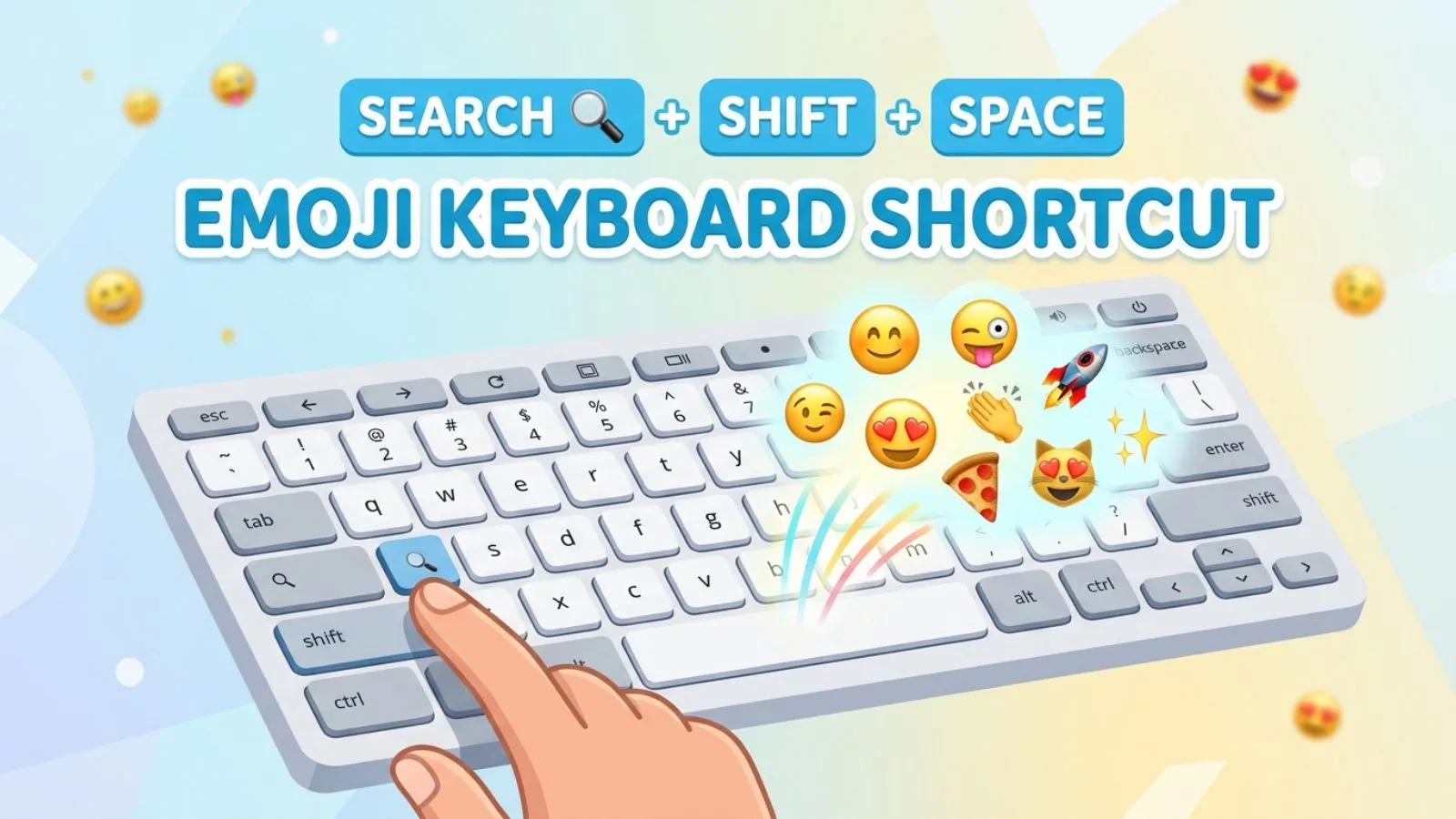
The Emoji Keyboard Shortcut Chromebook refers to a built-in key combination that opens the emoji picker instantly on ChromeOS. Instead of manually searching emojis, you simply press a shortcut and a small emoji panel appears on your screen.
On most Chromebooks, the shortcut is:
👉 Search (🔍) + Shift + Space
This tool lets you access emojis, symbols, and sometimes GIF-like options depending on your system version. It’s designed to make typing faster and more expressive without leaving your current tab or app.
In simple words, it’s your quick access button to emotions while typing.
How to use Emoji Keyboard Shortcut Chromebook emojis
Using the emoji shortcut is super simple:
- Click in any text box (Google Docs, WhatsApp Web, Instagram, etc.)
- Press Search + Shift + Space
- The emoji panel will open instantly
- Search or scroll for your emoji
- Click to insert it
You can also use keywords like “happy,” “fire,” or “heart” to find emojis faster.
👉 Example:
Typing “😂🔥” in a chat instantly shows excitement or funny reactions without typing full sentences.
Best emoji combinations for copy paste
Here are ready-to-use emoji combos you can copy instantly:
- 😂🔥💯 (funny and trending moment)
- 💔😢🥀 (sad emotional vibe)
- 😎✨🚀 (cool success energy)
- ❤️😍🥰 (love expression)
- 🎉🥳🎊 (celebration mood)
- 😡💢⚡ (anger or strong reaction)
- 👀🤯🔥 (shocking moment)
These combinations are widely used in 2026 for social media captions, comments, and bios.
Aesthetic emoji ideas for social media
If you want aesthetic vibes for Instagram or TikTok, try these styles:
✨ Soft aesthetic:
🌸💗✨🤍🕊️
🌙 Night mood:
🌙🌌⭐💫🖤
🔥 Bold aesthetic:
🔥⚡💥🖤😈
📸 Travel aesthetic:
🌍✈️📍🏝️🌅
💡 Tip: Combine emojis with short captions for viral-style posts like:
“lost in the moment 🌙✨”
Common problems and solutions
1. Shortcut not working
👉 Restart Chromebook or check keyboard settings
2. Emoji panel not opening
👉 Make sure Ch Romeos is updated
3. Missing emojis
👉 Some older apps don’t support latest emojis
4. Wrong shortcut key
👉 Try Search + Shift + Space or right-click emoji option
5. Lag in emoji panel
👉 Close heavy tabs or refresh browser
Trending emoji usage in 2026
In 2026, emoji trends are more expressive and meme-driven than ever:
- 😂🔥 used for viral humor content
- 🧠⚡ for smart ideas or “genius moments”
- 💀 for extreme laughter
- 🚀 for success and growth content
- 🫶 for emotional support and positivity
Creators on TikTok and Instagram are mixing emojis with minimal text captions to boost engagement. Even Chromebook users are using shortcuts more often to keep up with fast posting trends.
Emoji Shortcut Quick Table
| Action | Shortcut / Method |
|---|---|
| Open emoji panel | Search + Shift + Space |
| Search emoji | Type keyword in panel |
| Insert emoji | Click emoji |
| Alternative method | Right-click → Emoji |
FAQs
1. What is the Chromebook emoji shortcut?
It is Search + Shift + Space to open the emoji keyboard.
2. Can I use emojis in all Chromebook apps?
Yes, most apps like Docs, Chrome, and messaging support it.
3. Why is my emoji shortcut not working?
Your system may need an update or restart.
4. Can I search emojis by word?
Yes, you can type keywords like “love” or “fire.”
5. Does Chromebook support new emojis in 2026?
Yes, if Ch Romeos is updated to the latest version.
Conclusion
The Emoji Keyboard Shortcut on Chromebook is one of the most underrated yet powerful tools for faster and more expressive communication.
In a digital world where messages, captions, and comments are driven by emotion, having instant access to emojis makes your typing experience smoother and more engaging.
Instead of wasting time searching through emoji menus, this shortcut lets you express feelings, reactions, and ideas in just a second.
If you’re chatting with friends, posting on social media, or working on documents, it adds personality to everything you write.
In 2026, where visual communication is becoming more important than ever, mastering this shortcut gives you a real advantage in speed and creativity.
From aesthetic posts to viral reactions, emojis help you connect better with your audience. Once you start using it daily, it becomes second nature and you’ll notice how much more fun and expressive your Chromebook experience becomes overall.