Save time and express yourself faster with these easy Emoji Keyboard Shortcuts that work on Windows, Mac, iPhone, Android, and more.
Emoji Keyboard Shortcuts make adding emojis faster, easier, and much more fun imagine you’re chatting with a friend, replying to an email, or creating a social media post, and you want to add the perfect 😊 or 🎉 without stopping to search through hundreds of emojis.
That’s exactly where keyboard shortcuts help. With just a simple key combination, you can instantly open the emoji panel on Windows, Mac, Android, or iPhone and keep your conversation flowing emoji shortcut key.
These shortcuts save time, improve productivity, and make every message feel more personal and expressive. Whether you’re a student, office worker, gamer, or content creator, learning a few emoji keyboard shortcuts can make your daily communication smoother.
In this guide, you’ll discover the easiest emoji shortcuts for every device, ready-to-copy emoji combinations, stylish aesthetic emoji ideas, solutions to common emoji problems, and the latest emoji trends for 2026 by the end, you’ll be able to use emojis more quickly and confidently in every conversation.
What does Emoji Keyboard Shortcuts mean?
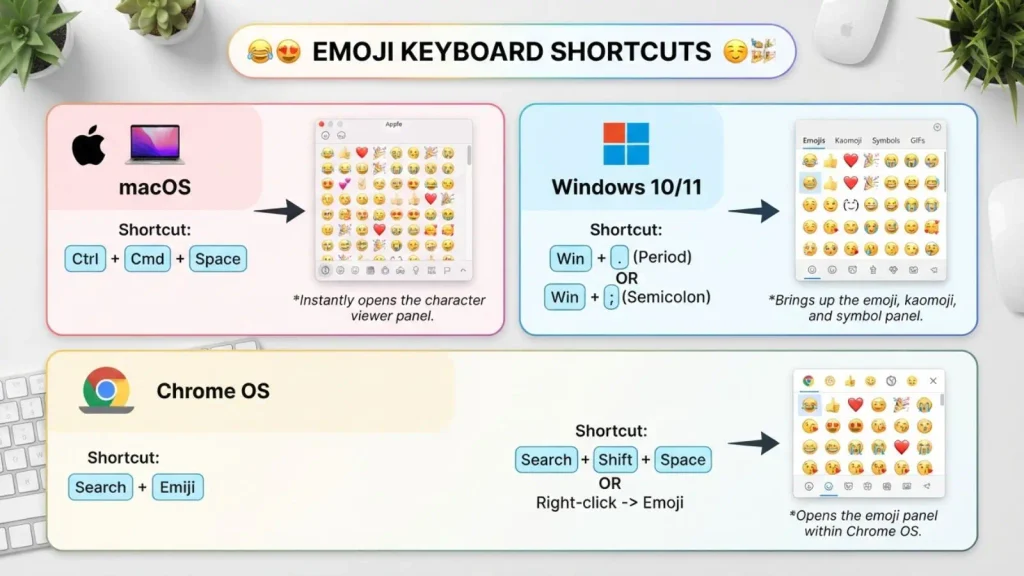
Emoji Keyboard Shortcuts are quick key combinations that open your device’s emoji keyboard instantly. Instead of searching through menus, you press a few keys to access emojis in seconds.
Shortcut for Emojis ⌨️
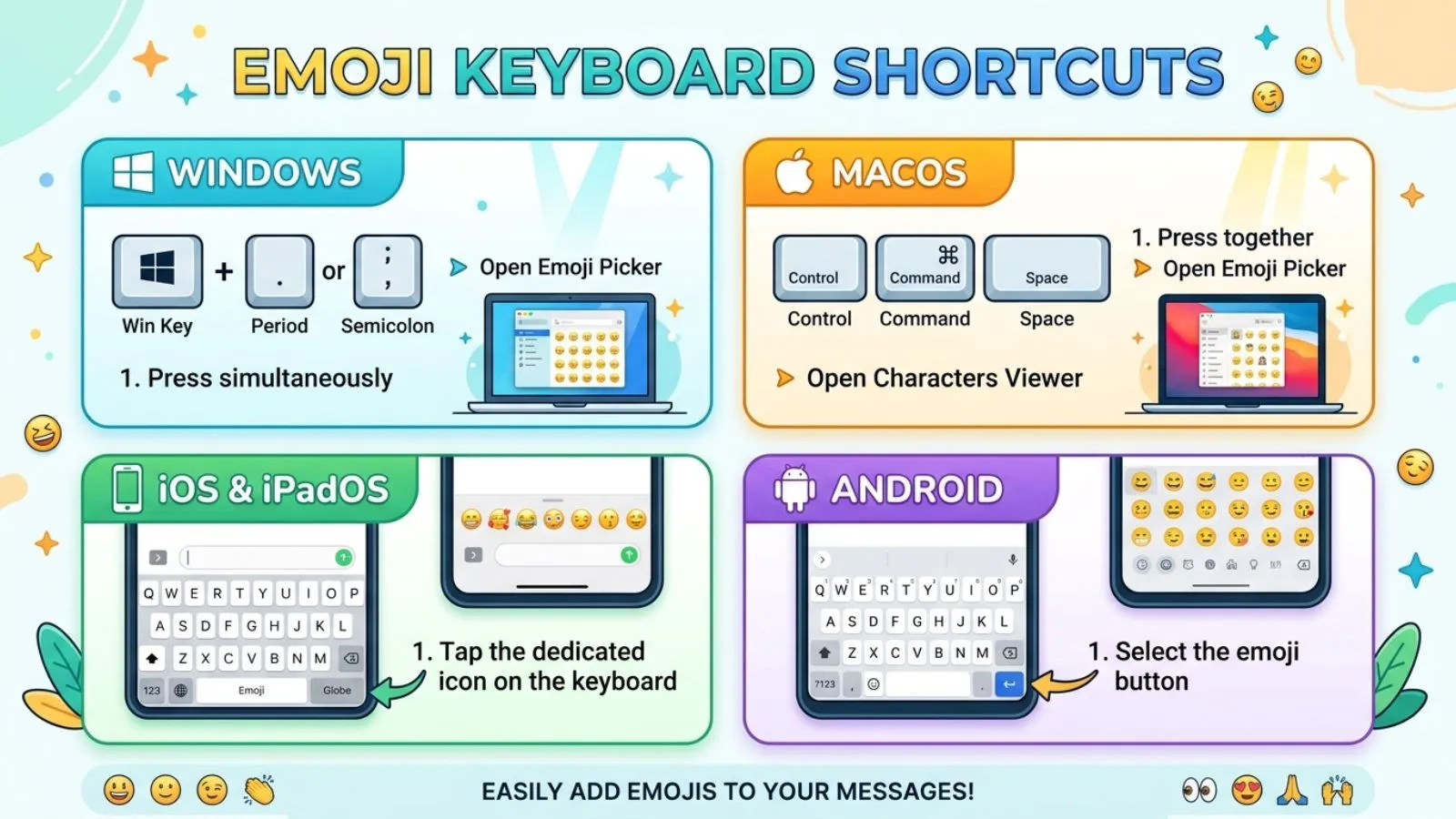
If you want to quickly add emojis while typing, use these simple keyboard shortcuts:
- Windows:
Windows Key + .→ Opens the emoji panel 😊 - Windows:
Windows Key + ;→ Opens the same emoji panel - Mac:
Control + Command + Space→ Opens the emoji viewer - iPhone/iPad: Tap the Emoji/Globe key on the keyboard
- Android: Tap the 😊 Emoji button on the keyboard
For Windows, the fastest shortcut is Win + . — press both keys together and search for the emoji you want.
Select 24 more words to run Humanizer.
Popular shortcuts include:
| Device | Emoji Keyboard Shortcut |
|---|---|
| Windows | Windows + . (Period) or Windows + ; (Semicolon) |
| Mac | Control + Command + Space |
| iPhone | Tap the 🌐 Globe or 😊 Emoji key |
| Android | Tap the 😊 Emoji icon on the keyboard |
| Chromebook | Search + Shift + Space (supported devices) |
These shortcuts help you type faster while making messages more expressive.
How to use Emoji Keyboard Shortcuts emojis
Using emoji shortcuts is simple.
Windows
- Press Windows + .
- Choose your favorite emoji.
- Click or press Enter to insert it.
Mac
- Press Control + Command + Space
- Search for an emoji by name.
- Click to insert it anywhere.
iPhone
- Open the keyboard.
- Tap the emoji icon.
- Select the emoji you want.
Android
- Open your keyboard.
- Tap the smiley face icon.
- Browse or search emojis.
Real-life examples
- “Great job! 🎉”
- “See you soon 😊”
- “Let’s celebrate 🥳”
- “Coffee first ☕”
- “Working hard 💻”
Keyboard Shortcut Emoji
Keyboard shortcuts make it quick and easy to add emojis to messages, captions, comments, and documents without manually searching through the emoji menu.
Popular keyboard shortcuts for emojis include:
- 😂 Face with Tears of Joy
- 🤍 White Heart
- ✨ Sparkles
- 🥹 Face Holding Back Tears
- 💀 Skull
- 🔥 Fire
- 😭 Loudly Crying Face
- 🫶 Heart Hands
- 🩷 Pink Heart
- 🚀 Rocket
People often use emoji shortcuts in chats, emails, social media captions, comments, and short posts to make their messages more expressive and engaging.
Best emoji combinations for copy paste
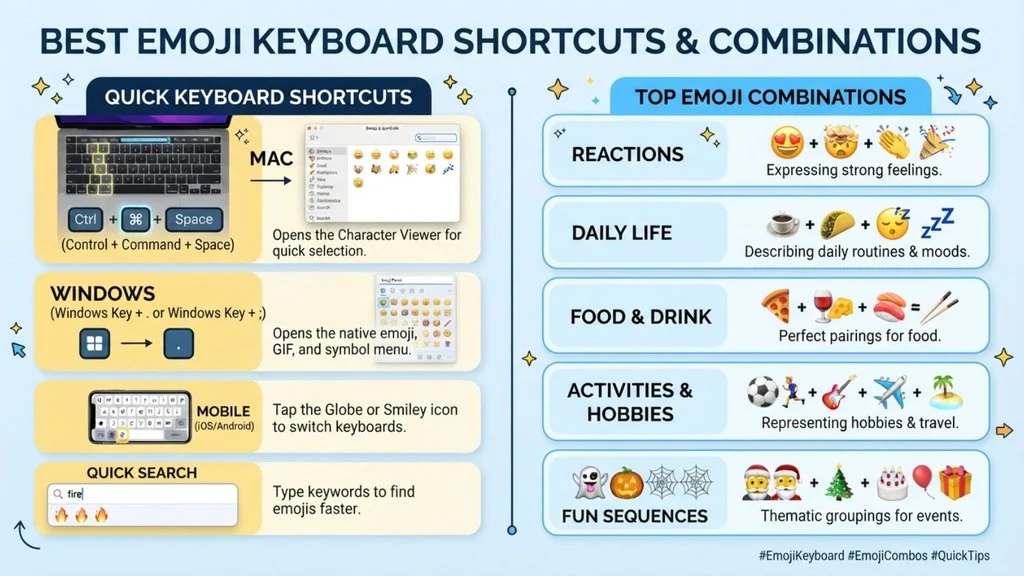
Ready-to-use emoji combinations make messages look more fun.
| Purpose | Emoji Combination |
|---|---|
| Happy | 😊✨🌸 |
| Love | ❤️🥰💖 |
| Celebration | 🎉🥳🎊 |
| Study | 📚✏️💡 |
| Business | 💼📈🚀 |
| Gaming | 🎮🔥🏆 |
| Travel | ✈️🌍📸 |
| Coffee | ☕🍩😊 |
| Nature | 🌿🍃🌸 |
| Night | 🌙⭐💙 |
You can copy and paste these into Instagram captions, TikTok bios, WhatsApp chats, Discord messages, and emails.
Keyboard Shortcut for Emojis
If you want your profile or captions to look stylish, combine keyboard emojis with sparkles, stars, hearts, and minimalist symbols.
Popular aesthetic combinations include:
- ✨⌨️✨
- 🤍⌨️🤍
- 🌸⌨️🌸
- ⌨️☁️🌿
- ⌨️💫
- 🖤⌨️
- 🌙⌨️✨
- ⌨️🍃
- 💖⌨️
- 🌈⌨️
Example captions:
- ⌨️ Type it, express it.
- ✨ Every message feels better with emojis ⌨️
- ⌨️ Adding personality one emoji at a time.
- ⌨️ Make your messages more fun.
- ⌨️ Type, smile, repeat.
Aesthetic emoji ideas for social media
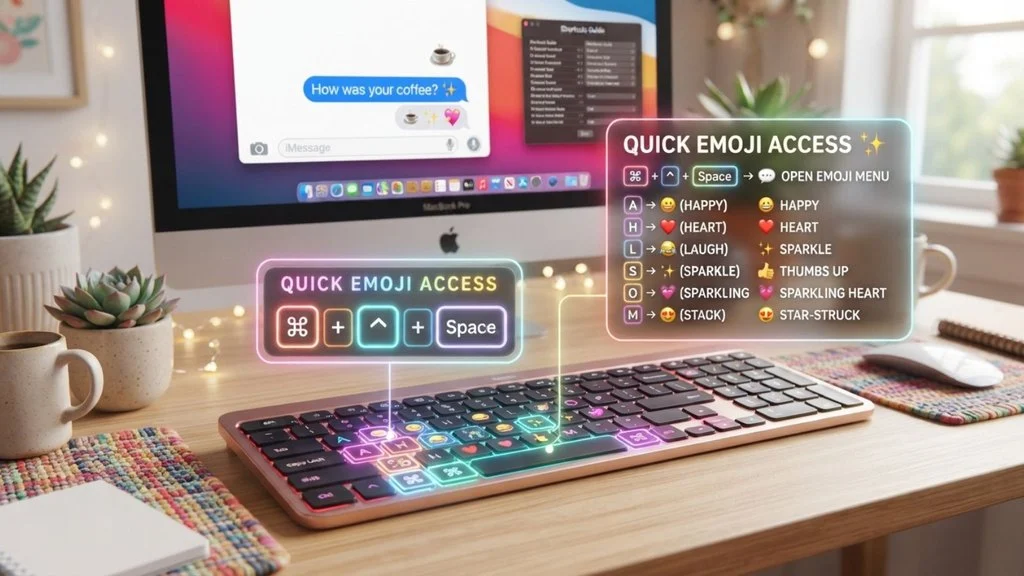
Want your profile or captions to stand out? Try these stylish emoji sets.
Soft Aesthetic
🤍☁️🕊️✨
Pink Theme
🌸💗🎀🩷
Dark Mood
🖤🌙🥀✨
Nature
🍃🌿🌼🌞
Luxury
💎✨👑🤍
Travel
✈️🌎📍📸
These combinations are perfect for Instagram bios, Ticktock captions, Interest boards, and Whats App status updates.
Common problems and solutions
Many users experience emoji issues. Here are quick fixes.
| Problem | Solution |
|---|---|
| Emoji shortcut doesn’t open | Update your operating system and keyboard settings. |
| Missing emojis | Install the latest OS updates. |
| Emoji appears as a box | The device may not support that emoji yet. |
| Different emoji designs | Apple, Google, Microsoft, and Samsung display emojis differently. |
| Keyboard shortcut not working | Restart your device or check keyboard language settings. |
Keeping your device updated usually solves most emoji problems.
Emoticon Shortcuts
If you want your profile or captions to look stylish, combine emoticon shortcuts with sparkles, hearts, stars, and minimalist symbols.
Popular aesthetic combinations include:
- ✨(◕‿◕)✨
- 🤍(。♥‿♥。)🤍
- 🌸(✿◠‿◠)🌸
- ☁️(。•́‿•̀。)🌿
- (✧ω✧)
- 🖤(¬‿¬)
- 🌙(◡‿◡)✨
- 🍃(´• ᴗ •`)
- 💖(♡˙︶˙♡)
- 🌈(づ。◕‿‿◕。)づ
Example captions:
- (◕‿◕) Small steps, big dreams.
- ✨ Every day feels brighter (。♥‿♥。)
- 🌸 Making memories one day at a time.
- (✧ω✧) Success isn’t luck.
- (◡‿◡) Growing quietly.
Trending emoji usage in 2026
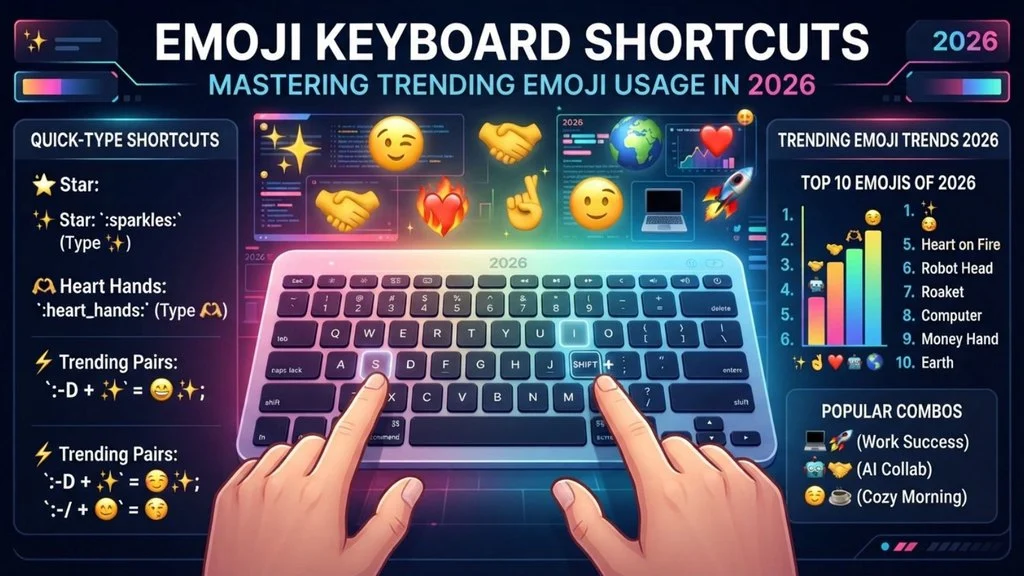
In 2026, people continue using emojis to make conversations feel more personal and creative.
Popular trending emojis include:
- 😂 Face with Tears of Joy
- 🤍 White Heart
- ✨ Sparkles
- 🥹 Face Holding Back Tears
- 💀 Skull
- 🔥 Fire
- 😭 Loudly Crying Face
- 🫶 Heart Hands
- 🩷 Pink Heart
- 🚀 Rocket
People often mix these emojis in captions, short videos, comments, and social media posts to create eye-catching content.
Keyboard Shortcuts for Emojis
In 2026, keyboard shortcuts make it easier to add emojis to messages, captions, and social media posts without searching for each emoji manually.
Popular keyboard shortcuts for emojis include:
- 😂 Face with Tears of Joy
- 🤍 White Heart
- ✨ Sparkles
- 🥹 Face Holding Back Tears
- 💀 Skull
- 🔥 Fire
- 😭 Loudly Crying Face
- 🫶 Heart Hands
- 🩷 Pink Heart
- 🚀 Rocket
People often use emoji shortcuts in chats, comments, captions, emails, and social media posts to make their messages more expressive and engaging.
FAQs
What is the fastest emoji keyboard shortcut on Windows?
Press Windows + . (Period) to instantly open the emoji picker.
How do I open emojis on a Mac?
Use Control + Command + Space to access the emoji keyboard.
Why do emojis look different on different phones?
Each platform has its own emoji design, so the same emoji may appear differently on Apple, Android, Windows, or Samsung devices.
Can I use emoji keyboard shortcuts in Microsoft Word?
Yes. Most Windows and Mac emoji shortcuts work in Microsoft Word, browsers, and many other apps.
Do emoji keyboard shortcuts work on social media?
Yes. They work in Instagram, TikTok, Facebook, X, WhatsApp, Discord, and many other apps.
Are emoji keyboard shortcuts free?
Yes. They are built into your device and can be used without downloading extra software.
Conclusion
Emoji Keyboard Shortcuts are one of the easiest ways to make typing faster, smoother, and more enjoyable.
Instead of searching through long emoji menus, you can open the emoji picker with a simple key combination and add the perfect emoji in seconds.
If you’re using Windows, Mac, Android, or iPhone, these shortcuts help you save time while making your messages more expressive.
You can also use ready-made emoji combinations to create stylish Instagram captions, eye-catching TikTok bios, fun WhatsApp messages, or professional yet friendly emails.
If you ever run into emoji display problems, a quick system update or keyboard check usually solves the issue.
As emoji trends continue to grow in 2026, learning these shortcuts is a simple skill that makes everyday communication easier, faster, and more creative start using Emoji Keyboard Shortcuts today and make every conversation a little more colourful.