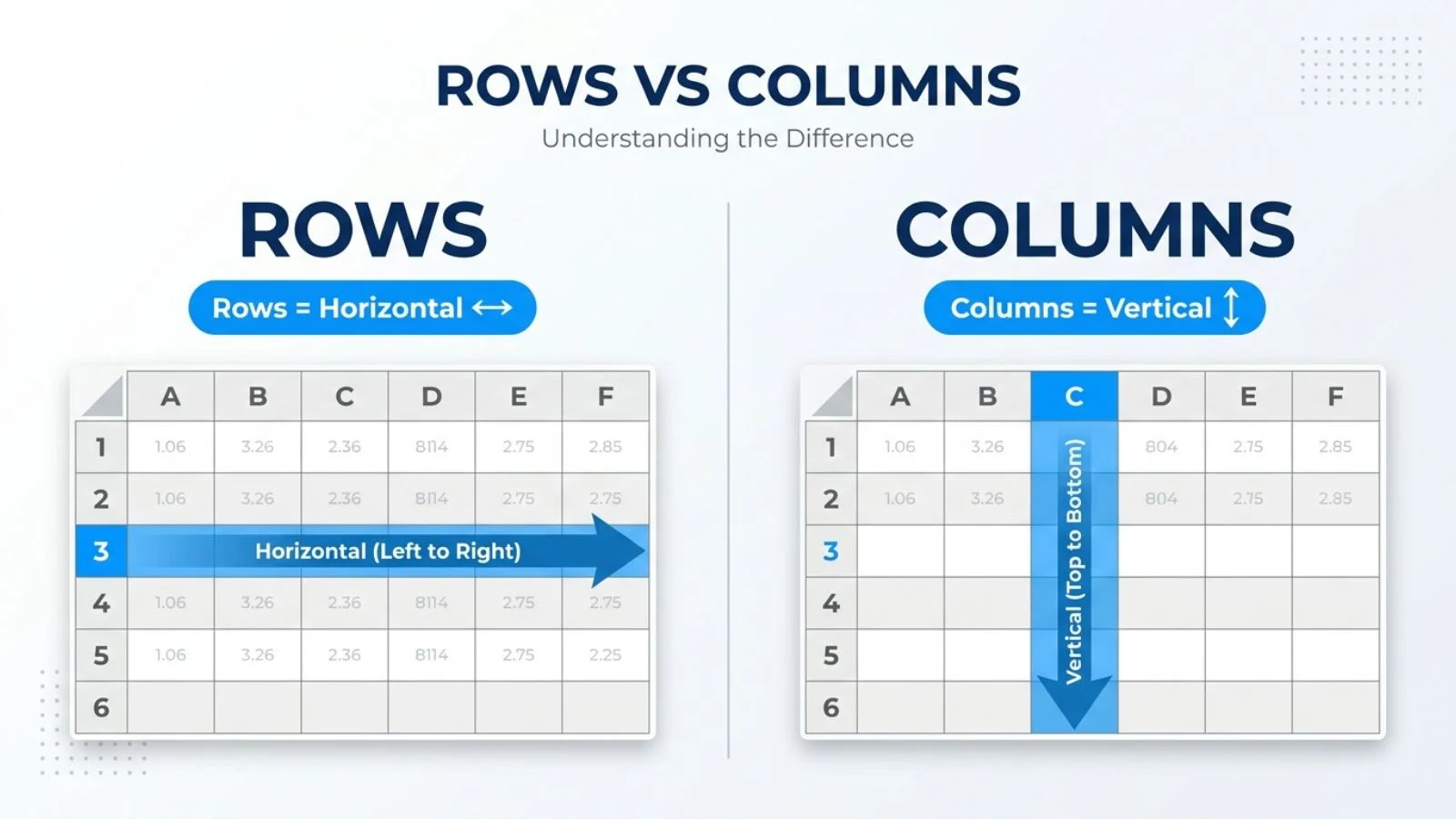
In a spreadsheet, rows run horizontally across the sheet and are numbered on the left side. Columns run vertically from top to bottom and are labeled with letters across the top.
Rows usually hold one record each, while columns hold one type of information, such as names or prices.
Key Takeaways
- Rows run side to side (horizontal). Columns run up and down (vertical).
- In Excel and Google Sheets, rows are numbered and columns are lettered.
- Each row often represents one item, person, or entry.
- Each column usually represents one category of data.
- The terms also have separate meanings in databases and math.
Rows and Columns in a Spreadsheet
Most people first meet these terms in a spreadsheet program like Microsoft Excel or Google Sheets. The layout is a grid, and the two directions do different jobs.
What Is a Row?
A row is a horizontal line of cells. Look at the left edge of the sheet and you will see row numbers: 1, 2, 3, and so on. If you want to read across one entry, such as a single customer’s name, phone number, and order total, you read along a row.
What Is a Column?
A column is a vertical line of cells. Look at the top of the sheet and you will see column letters: A, B, C, and so on. A column is useful for keeping one kind of data together, like every customer’s phone number in column B.
Rows vs Columns at a Glance
| Feature | Row | Column |
| Direction | Horizontal (side to side) | Vertical (up and down) |
| Label | Number (1, 2, 3) | Letter (A, B, C) |
| Usually holds | One record or entry | One category of data |
| Found on | Left side of the sheet | Top of the sheet |
A Simple Way to Remember the Difference
Here is an easy trick. Think of a staircase, or the word “row” as a row of seats in a theater, which runs left to right. A column is like a column of stone holding up a building, which runs up and down. If you remember that rows go across and columns stand tall, you will rarely mix them up.
Another way to think about it: a row is one person’s full record, and a column is one question asked of everyone.
Rows and Columns in a Database
In database software, a table is also made of rows and columns, but the meaning shifts slightly. A row, sometimes called a record, holds all the details about one item, such as one order. A column, sometimes called a field, holds one attribute for every item, such as the order date.
Some databases also differ in how they store data on disk. A row-oriented database keeps all the values in a row together. This works well when you often need the full details of one record. A column-oriented database keeps all the values in a column together. This can be faster when you need to add up or average one column across millions of rows. Analytics tools often use the column-based approach for this reason.
Rows and Columns in Math and Matrices
In linear algebra, a matrix is a grid of numbers. The rows run horizontally, and the columns run vertically. Mathematicians describe the size of a matrix by listing rows first, then columns. A matrix with 3 rows and 2 columns is called a 3 by 2 matrix.
The layout matches the spreadsheet idea, but the numbers have no labels. Position alone tells you what each value means.
Common Mistakes When Using Rows and Columns
Several mistakes come up often:
- Mixing up the directions. People sometimes say “row B” when they mean column B. Remember that letters belong to columns and numbers belong to rows.
- Sorting only one part of the data. If you sort a single column without selecting the whole table, the values in that column no longer match the rest of their row. Always select the full range before sorting.
- Deleting the wrong one. Deleting a row removes an entry. Deleting a column removes a category from every entry. Check which one you mean before you press delete.
How to Switch Rows and Columns
Sometimes you need to flip your data so rows become columns and columns become rows. This is called transposing.
In Excel, copy your data, right-click where you want the new layout, choose Paste Special, and select Transpose. In Google Sheets, you can use the TRANSPOSE function. Type a formula like =TRANSPOSE(A1:D5) in an empty cell. Sheets then fills the flipped data into the cells below and to the right.
Transposing is useful when your data is entered in one direction but a chart or report needs it in the other.
Frequently Asked Questions
Which one is horizontal, a row or a column?
A row is horizontal. It runs from left to right across the sheet. A column is vertical, running from top to bottom.
How many rows and columns does Excel have?
Modern versions of Excel have 1,048,576 rows and 16,384 columns on a single worksheet. The last column is labeled XFD. Your version may differ, so check the current specifications from Microsoft if you need exact numbers.
Can you change the number of rows or columns?
You do not usually add or remove the total grid size. Instead, you insert or delete individual rows and columns as needed. Right-click a row number or column letter and choose the option you want.
Conclusion
Understanding the difference between rows and columns is the foundation of working with spreadsheets.
Rows run horizontally and are usually identified by numbers, while columns run vertically and are identified by letters.
In a spreadsheet, a row typically contains one complete entry, such as a customer’s record, while a column contains the same type of information, such as the phone numbers of all customers.
This distinction is also useful in databases and mathematics, although the terms can have slightly different meanings in those contexts.
If you remember these basic differences and pay attention before sorting or deleting data, working with spreadsheets becomes much easier.