Discover the meaning of every popular Twitter emoji, copy the best emoji combinations, and learn how to use them creatively in 2026.
Have you ever seen a tweet filled with emojis that instantly grabbed your attention a simple 😂 can make a joke funnier, while 🔥 can turn an ordinary post into something exciting.
On Twitter, emojis have become more than colourful icons they’re a universal language that helps people express emotions, reactions, and personality in just a few characters.
If you’re replying to a viral tweet, sharing breaking news, promoting your business, or posting memes, the right Twitter emoji can make your content more engaging and relatable.
Many users also search for copy-and-paste emoji combinations, aesthetic emoji styles, and the meaning behind trending symbols.
This guide covers everything you need to know about Twitter emojis, including their meanings, creative uses, social media styling ideas, common display issues, and the latest emoji trends in 2026. By the end, you’ll know exactly which emojis to use to make your tweets stand out.
What does Twitter Emoji mean?
A Twitter emoji refers to any emoji used in tweets, replies, direct messages, hashtags, or Twitter profiles to express emotions, reactions, ideas, or personality. While Twitter supports the standard Unicode emoji set, the appearance of emojis may differ slightly depending on your device or platform.
Some of the most popular Twitter emojis include:
| Emoji | Meaning | Common Use |
|---|---|---|
| 😂 | Laughing | Funny tweets and memes |
| ❤️ | Love | Appreciation and support |
| 🔥 | Trending or amazing | Viral posts |
| 😭 | Emotional or laughing hard | Reactions |
| 👀 | Watching closely | Suspense or curiosity |
| 🚀 | Growth and success | Business or crypto |
| 💯 | Perfect or true | Agreement |
| 🎉 | Celebration | Achievements |
| 🤯 | Mind blown | Surprising facts |
| 🙌 | Celebration or thanks | Positive replies |
How to use Twitter emojis
Using Twitter emojis effectively makes your tweets feel more human and engaging.
Here are some simple ideas:
- Add 😂 to funny posts.
- Use 🔥 for trending topics.
- Celebrate milestones with 🎉.
- Show appreciation using ❤️.
- Add 👀 when teasing upcoming news.
- Use 🚀 for startup, business, or crypto tweets.
- End motivational tweets with 💪.
- React with 😭 to emotional or hilarious content.
Example Tweet
Just reached 10K followers! 🎉❤️ Thank you everyone for your amazing support! 🚀
Best emoji combinations for copy paste
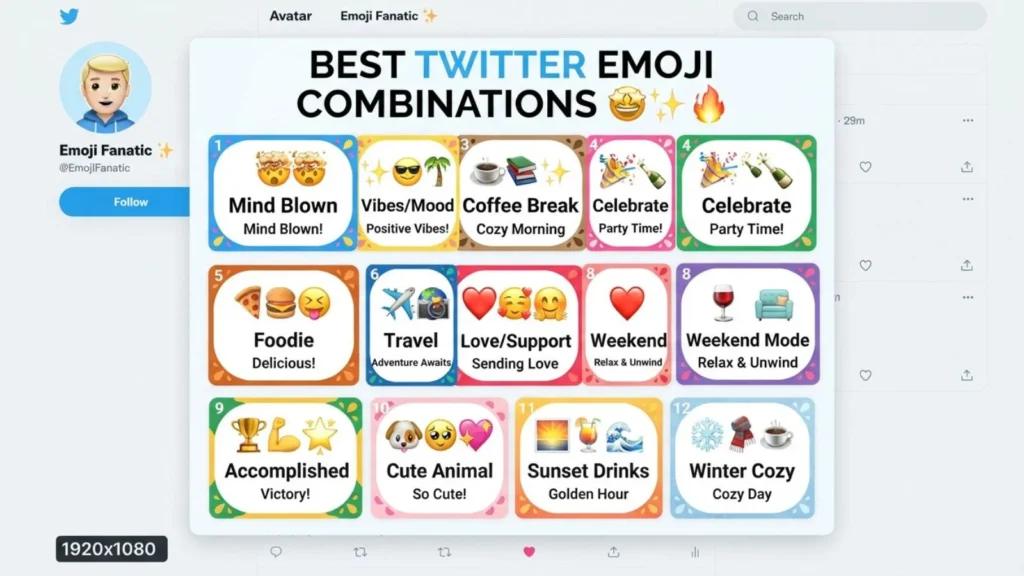
Ready-to-use Twitter emoji combinations:
- 😂🤣😭
- 🔥💯🚀
- ❤️✨🌸
- 👀🔥
- 🎉🥳🎊
- 💙🐦✨
- ☕📱💬
- 🚀📈💰
- 😍❤️✨
- 🙌💯🔥
These combinations are perfect for tweets, replies, bios, and captions.
Aesthetic emoji ideas for social media
Want your Twitter profile to look stylish?
Try these aesthetic emoji sets:
Minimal
- ☁️🤍✨
Cute
- 🌸🩷🧸✨
Dark Theme
- 🖤🌙✨
Nature
- 🍃🌼🌿
Luxury
- 👑💎✨
Blue Twitter Style
- 💙🐦☁️✨
These also work beautifully on Instagram, TikTok, WhatsApp, Threads, and Discord.
Common problems and solutions
Emojis look different
Different devices use different emoji designs, so appearance may vary between Android, iPhone, Windows, and browsers.
Emoji doesn’t appear
Update your operating system or browser to support the latest Unicode emojis.
Emoji becomes a square box
The device probably doesn’t support that emoji yet.
Emoji changes after posting
Twitter may display emojis using your device’s font instead of another platform’s design.
Which emoji should I use?
Choose emojis that match your message instead of adding too many. A few relevant emojis usually perform better than excessive ones.
Trending emoji usage in 2026

These emojis are among the most popular on Twitter in 2026:
- 😂 Funny reactions
- 🤍 Minimal aesthetic posts
- ✨ Lifestyle content
- 🔥 Viral trends
- 👀 Breaking news
- 💀 Internet humor
- 😭 Emotional reactions
- 🚀 Business and AI discussions
- 💙 Community appreciation
- 🫶 Kindness and gratitude
Creators, influencers, brands, and everyday users continue to combine these emojis to increase engagement and make tweets more expressive.
FAQs
What is a Twitter emoji?
A Twitter emoji is any Unicode emoji used in tweets, replies, direct messages, or profile bios.
Can I copy and paste Twitter emojis?
Yes. Simply copy any emoji and paste it into your tweet, bio, or message.
Why do Twitter emojis look different on other devices?
Emoji designs depend on the operating system and device, so their appearance can vary while keeping the same meaning.
Which Twitter emoji is the most popular?
😂 remains one of the most frequently used emojis, followed by ❤️, 🔥, 😭, and 👀.
Can emojis improve tweet engagement?
Yes. Relevant emojis can make tweets more eye-catching, easier to read, and often encourage higher interaction.
Conclusion
Twitter emojis have become an essential part of online communication, helping users express emotions, highlight important ideas, and make posts more engaging in just a few characters.
If you’re sharing breaking news, celebrating achievements, reacting to memes, or building a personal brand, the right emoji can instantly make your content more memorable.
From simple copy-and-paste combinations to aesthetic profile styles and trending emoji sets, there are endless ways to personalize your tweets without saying more.
Understanding emoji meanings also helps avoid confusion across different devices and platforms.
As social media continues evolving in 2026, creative and thoughtful emoji usage remains one of the easiest ways to increase engagement and connect with your audience.
Keep experimenting with new combinations, stay updated on trending emojis, and use them naturally to make every tweet feel more expressive, relatable, and visually appealing.