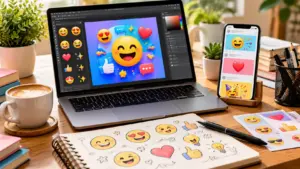
Quickly find, copy and use your favorite emojis with the Windows Emoji Keyboard for chats posts and creative messages.
The way we express feelings online has changed a simple smile, heart or funny face can turn a normal message into something more personal.
Imagine typing a message to a friend creating a TikTok caption or replying in a work chat the right emoji can say what words sometimes cannot.
The Windows Emoji Keyboard makes this easier by bringing thousands of emojis directly to your fingertips. Whether you want cute symbols trending faces reactions or aesthetic combinations Windows helps you add emotion quickly.
From everyday conversations on WhatsApp to stylish Instagram captions emojis have become a major part of digital communication.
In this guide you will learn what the Windows Emoji Keyboard means, how to use it, copy-paste ideas, common issues and the latest emoji trends for 2026.
What does Windows Emoji Keyboard mean?
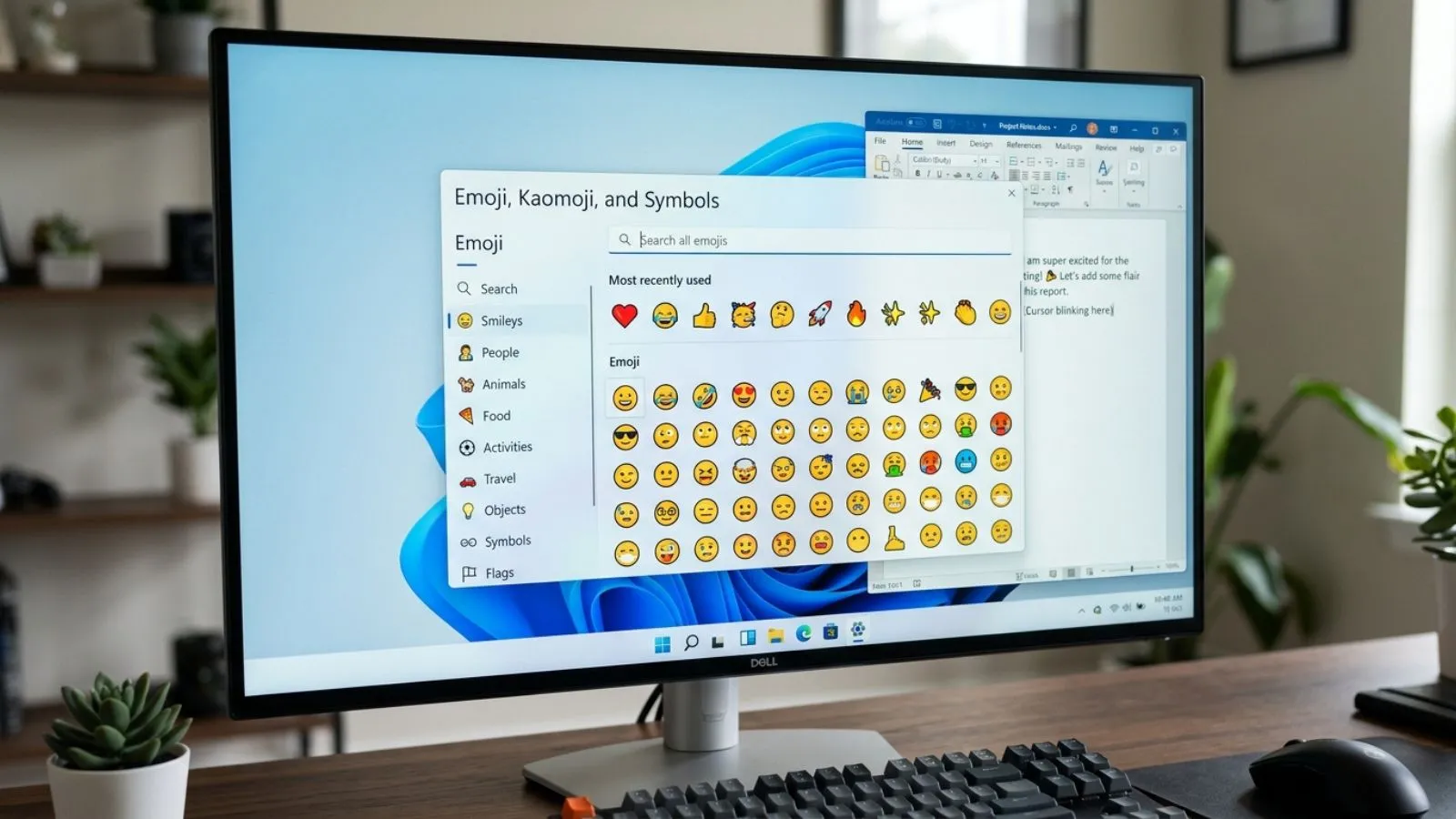
The Windows Emoji Keyboard is a built-in feature on Windows computers that allows users to quickly access emojis, GIFs symbols and special characters while typing.
Instead of searching websites for emojis Windows users can open the emoji panel and choose their favorite icons instantly. It works in many apps including messaging platforms, browsers , social media websites and documents.
For example:
- 😊 means happiness or friendliness
- ❤️ shows love care or support
- 😂 represents laughter
- 🔥 shows something exciting popular or impressive
- ✨ adds a magical or aesthetic feeling
The Windows Emoji Keyboard helps people communicate emotions faster and makes digital conversations more expressive.
How to use Windows Emoji Keyboard emojis
Using the Windows Emoji Keyboard is simple and takes only a few seconds.
Steps to open Windows Emoji Keyboard:
- Open any text box where you want to type.
- Press Windows Key + . (period).
- The emoji panel will appear.
- Select any emoji you want to use.
- Click the emoji to insert it.
You can use it in:
- Microsoft Word documents
- WhatsApp Web
- Instagram captions
- Facebook posts
- TikTok comments
- Emails
- Online chats
Windows also provides search options so you can type words like “heart” “laugh” or “party” to find matching emojis quickly.
Best emoji combinations for copy paste
Here are popular Windows emoji combinations you can copy and use anywhere:
| Emoji Combo | Meaning |
| 😊✨ | Happy and positive mood |
| ❤️🥰 | Love and affection |
| 😂🔥 | Extremely funny or trending |
| 😎✨ | Cool and confident vibe |
| 🌸💖 | Cute aesthetic style |
| 🥹❤️ | Emotional love feeling |
| 🤍✨ | Simple and elegant look |
| 🚀🔥 | Success and excitement |
| ☕📖✨ | Cozy lifestyle mood |
| 🎉🥳 | Celebration feeling |
| 💻⚡ | Technology and work energy |
| 🌙⭐ | Night aesthetic |
More copy-paste emoji ideas:
😊 😍 🥰 😭 😂 🤍 🖤 💖 ✨ 🌸 🌈 🔥 ⭐ 🚀 🎯 💫
Aesthetic emoji ideas for social media
Emojis are widely used on Instagram, TikTok and WhatsApp to create attractive captions and profiles.
Cute Instagram emoji styles:
- 🌸✨ Living my little dream
- 🤍☁️ Soft moments only
- 🦋💖 New beginnings
- 🌷😊 Happiness everywhere
TikTok trendy emoji combinations:
- 🔥👀 Watch this
- 😭💀 Funny but true
- ✨🫶 Favorite moment
- 🥹🤍 Feeling grateful
WhatsApp status ideas:
- 🌙✨ Good night vibes
- ☕🤎 Slow morning
- ❤️🌍 Spread kindness
- 😌🌿 Peaceful mind
Aesthetic emojis help make text look more creative and match different moods, personalities and online styles.
Common problems and solutions
Sometimes users face issues while using the Windows Emoji Keyboard. Here are common problems and easy fixes.
Emoji keyboard not opening
Problem: Windows + period shortcut does not work.
Solution:
- Restart your computer.
- Check if your Windows version supports emojis.
- Try pressing Windows + ; (semicolon).
Emojis appear as boxes
Problem: Some emojis show as empty squares.
Solution:
- Update Windows.
- Install the latest fonts.
- Use updated apps that support newer emojis.
Different emoji designs
Problem: Emojis look different on Windows compared to phones.
Solution:
Emoji designs depend on the operating system. An emoji may appear slightly different on Android iPhone and Windows but the meaning usually stays the same.
Some apps do not support emojis
Problem: Emojis do not appear correctly in certain programs.
Solution:
Use updated versions of apps and browsers for better emoji support.
Trending emoji usage in 2026
In 2026 emoji communication continues to grow across social media gaming and online communities. People are using emojis not only for emotions but also for personal branding and creative expression.
Popular emoji trends include:
- ✨ Sparkle emojis for aesthetic captions
- 🥹 Emotional face emojis for heartfelt posts
- 🫶 Heart hands for friendship and support
- 🔥 Fire emojis for viral content
- 💀 Skull emoji for funny reactions
- 🤍 White heart for simple and clean styles
- 🚀 Rocket emoji for success and achievements
Creators on TikTok and Instagram often combine multiple emojis to create unique caption styles. The Windows Emoji Keyboard makes it easy to join these trends directly from your computer.
FAQs About Windows Emoji Keyboard
What is the Windows Emoji Keyboard?
The Windows Emoji Keyboard is a built-in Windows feature that lets users insert emojis symbols and GIFs while typing.
How do I open the Windows Emoji Keyboard?
Press Windows Key + . (period) or Windows Key + ; (semicolon) to open the emoji panel.
Can I use Windows Emoji Keyboard on social media?
Yes you can use Windows emojis on websites like Instagram, TikTok , Facebook and WhatsApp Web.
Why do Windows emojis look different?
Emoji designs vary between operating systems so Windows emojis may look different from Apple or Android versions.
Are Windows emojis free to use?
Yes Windows provides free access to its built-in emoji collection.
Can I copy emojis from Windows to other devices?
Yes you can copy emojis from Windows and paste them into supported apps and devices.
Conclusion
The Windows Emoji Keyboard has made online communication faster, easier and more expressive. Instead of typing long explanations users can share feelings with a simple emoji.
If you are chatting with friends, creating social media captions, writing emails or adding personality to documents, emojis help your messages feel more human.
From cute combinations like 🌸✨ to exciting trends like 🔥🚀 Windows gives you endless ways to customize your digital conversations.
Although some emoji designs may look different across devices their meanings remain clear and powerful.
As emoji trends continue growing in 2026 knowing how to use the Windows Emoji Keyboard can help you create better posts, messages and online interactions with quick access to thousands of symbols expressing your mood has never been easier.