One shortcut can turn your Mac keyboard into a world of expressive emojis.
Imagine typing a message on your Mac and suddenly wanting to add a little personality. Instead of searching online for an emoji and copying it you can open the built-in emoji keyboard in seconds.
If you use WhatsApp emojis Instagram emojis or TikTok captions knowing how to open emoji keyboard Mac makes everyday typing much easier.
The Mac emoji picker gives you quick access to faces reactions and symbols while you work chat or create content once you know the shortcut adding emojis becomes a natural part of your typing routine.
One Line Snippet:
Open emoji keyboard Mac and make every message feel a little more expressive.
What do Open Emoji Keyboard Mac Mean?
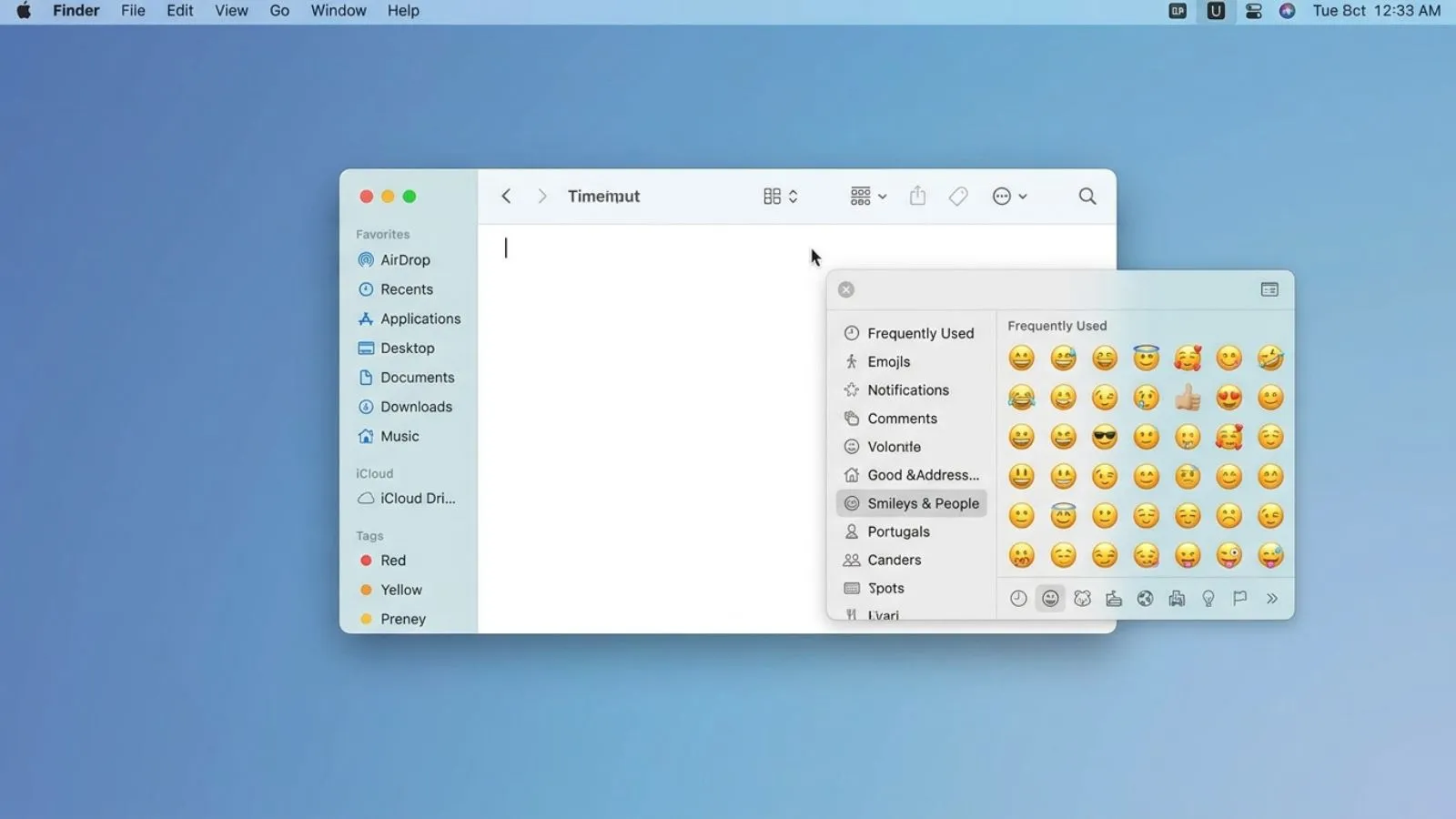
“Open Emoji Keyboard Mac” refers to accessing the built-in emoji and symbol viewer on a Mac computer. The easiest method is usually Control + Command + Space which opens the Character Viewer where you can browse and insert emojis.
For this guide the focus is on a simple group of commonly used face emojis: 😀 😃 😂 😊 😉 😍 😎 😢 😭 😡. These are especially useful when you want your messages to communicate emotion without writing a long explanation.
Context matters because the same face can feel different depending on the sentence relationship and platform. A friendly message may use a smiling face naturally while a short reply can sometimes make an emoji feel more emotional than intended.
| Emoji | Core meaning | Misread as | Best used when |
| 😀 | Happiness and friendliness | Forced excitement | Casual positive messages |
| 😃 | Cheerful excitement | Overenthusiasm | Sharing good news |
| 😂 | Strong amusement | Not taking something seriously | Funny conversations |
| 😊 | Warm happiness | Shyness | Kind or affectionate messages |
| 😉 | Playfulness or teasing | Romantic flirting | Jokes and playful replies |
| 😍 | Strong admiration | Romantic interest | Compliments and affection |
😀 😃 😂 😊 😉 😍 😎 😢 😭 😡 are useful examples of how emoji meanings can add emotional context to everyday Mac typing.
😀
Meaning: A happy friendly and positive expression.
Example 1: Great job today 😀
Example 2: That sounds perfect 😀
😃
Meaning: Cheerful excitement and enthusiastic happiness.
Example 1: I finally finished it 😃
Example 2: That is amazing news 😃
😂
Meaning: Strong laughter or amusement.
Example 1: That joke was hilarious 😂
Example 2: I cannot stop laughing 😂
😊
Meaning: Warm gentle happiness and friendliness.
Example 1: Thanks for helping me 😊
Example 2: It was lovely talking to you 😊
😉
Meaning: Playfulness teasing or a knowing tone.
Example 1: You already know the answer 😉
Example 2: Maybe I planned that 😉
😍
Meaning: Strong admiration affection or delight.
Example 1: That outfit looks amazing 😍
Example 2: I absolutely love this 😍
😎
Meaning: Confidence coolness or relaxed self-assurance.
Example 1: Everything is ready 😎
Example 2: We handled it like pros 😎
😢
Meaning: Sadness disappointment or emotional hurt.
Example 1: I really miss that place 😢
Example 2: That news made me sad 😢
😭
Meaning: Intense sadness or overwhelming emotion.
Example 1: This ending got me 😭
Example 2: I am laughing and crying 😭
😡
Meaning: Anger frustration or strong displeasure.
Example 1: That was not fair 😡
Example 2: I cannot believe they did that 😡
How to Use Open Emoji Keyboard Mac the Right Way
On most Macs the quickest way to open the emoji picker is Control + Command + Space. Press the three keys together while your cursor is inside a text field and the Character Viewer should appear.
You can also use the Globe/Fn key on compatible Mac keyboards. Depending on your macOS and keyboard settings pressing that key can bring up the emoji picker directly.
WhatsApp: Use the Mac emoji keyboard for emotional personal and expressive conversations. It is especially handy when replying quickly without leaving the chat window.
Instagram: Emojis can add personality to captions comments bios and messages. Use them thoughtfully when creating an aesthetic or branding-focused style.
TikTok: Emojis often work well with humor trends reactions and irony. A short caption with the right facial reaction can sometimes communicate the intended tone faster than a sentence.
Do:
- Use emojis to support your message.
- Match the emoji with the conversation.
- Keep combinations readable.
- Use the Mac picker when you need quick access.
Don’t:
- Add emojis to every sentence.
- Assume everyone interprets an emoji identically.
- Use an emotional reaction where the context is unclear.
- Overload professional messages with unnecessary expressions.
Best Open Emoji Keyboard Mac Combos Copy & Paste
Romantic
👉 😍😊 A warm way to show affection.
👉 😊😍 Works nicely with a sweet compliment.
👉 😉😍 Adds a playful romantic tone.
Cute
👉 😀😊 Friendly and cheerful for everyday chats.
👉 😃😊 Great for an excited but gentle reaction.
👉 😊😎 A relaxed positive combination.
Flirty
👉 😉😊 Playful without being too direct.
👉 😉😍 Useful for a teasing compliment.
👉 😍😉 Adds admiration with a playful touch.
Missing someone
👉 😢😊 Expresses missing someone while staying warm.
👉 😭😊 Useful for an emotional but affectionate message.
👉 😢😍 Works when remembering someone special.
Good night
👉 😊😎 A relaxed way to end a conversation.
👉 😍😊 Sweet for a close personal chat.
👉 😉😊 Playful when saying good night to someone you know well.
These copy paste emojis can be saved in your notes or reused whenever you want quick combinations without opening the picker repeatedly.
Trending Open Emoji Keyboard Mac in 2026
Emoji use in 2026 continues to depend heavily on context personality and platform culture. Familiar faces remain useful because they can quickly communicate reactions in chats captions comments and short-form content.
😂 is particularly natural for humorous conversations while 😍 and 😊 fit affectionate or positive content. 😉 is often useful when people want a playful tone without writing a long explanation.
| Emoji | Why trending | Who uses it | Platform |
| 😂 | Quick visual reaction to humor | Casual users and creators | WhatsApp TikTok |
| 😍 | Expressive admiration | Social users and creators | Instagram WhatsApp |
| 😊 | Friendly and positive tone | Everyday communicators | WhatsApp Instagram |
| 😉 | Playful and conversational | Social media users | Instagram TikTok |
As emoji design and digital communication continue evolving people generally adapt familiar symbols to new conversational styles and online contexts.
FAQ
1. What is the most popular Open Emoji Keyboard Mac?
The most useful shortcut is Control + Command + Space which opens the Mac Character Viewer. From there you can search and insert emojis directly into supported text fields.
2. What does 😍 mean from a girl or boy?
Its meaning depends more on the conversation than the sender’s gender. It can communicate strong admiration affection excitement or romantic interest depending on the surrounding message.
3. Why do emojis look different on iPhone vs Android?
Apple Google and other platforms create their own visual designs for Unicode emojis. The underlying emoji is generally the same but its appearance can vary between operating systems and apps.
4. Are Open Emoji Keyboard Mac used differently in other countries?
Emoji interpretations can vary because online communication is influenced by language culture age and personal habits. The surrounding words usually provide the best clue to the intended tone.
Conclusion
Learning how to open emoji keyboard Mac makes everyday communication faster and more expressive.
The built-in picker lets you add personality to WhatsApp messages Instagram captions and TikTok conversations without leaving your keyboard.
With the right context familiar emojis can make simple messages feel warmer clearer and more personal.